
There are now three customer fields that can be bulk updated for customer data. To access these bulk update settings, go to the customer homepage. In this corp, they use the name “client” for customer. Click on more options and choose customer core updates. Click on the “i” symbol to access directi…
What changed
There are now three customer fields that can be bulk updated for customer data.
How to use it
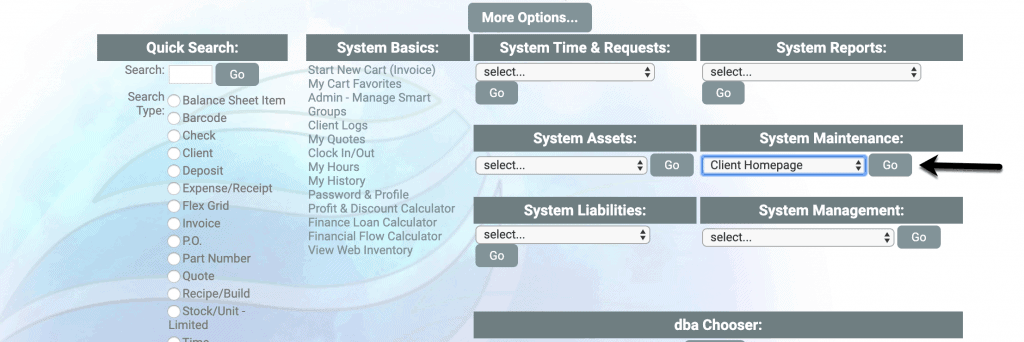
To access these bulk update settings, go to the customer homepage. In this corp, they use the name “client” for customer.
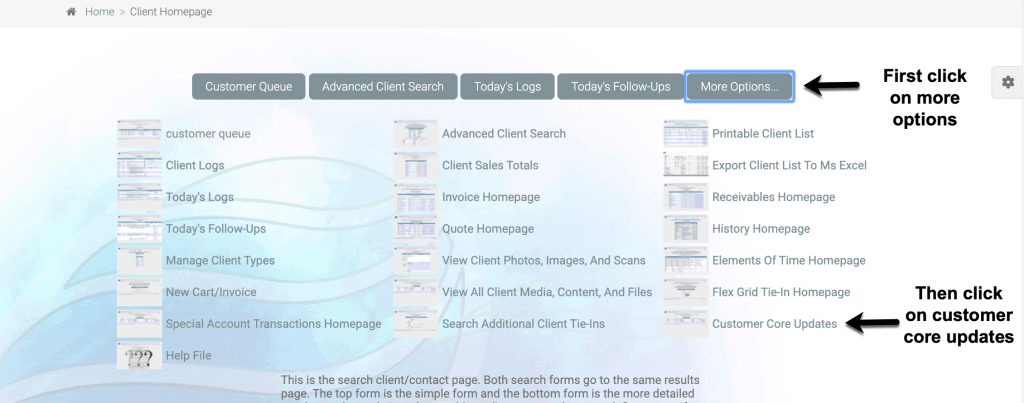
Click on more options and choose customer core updates.
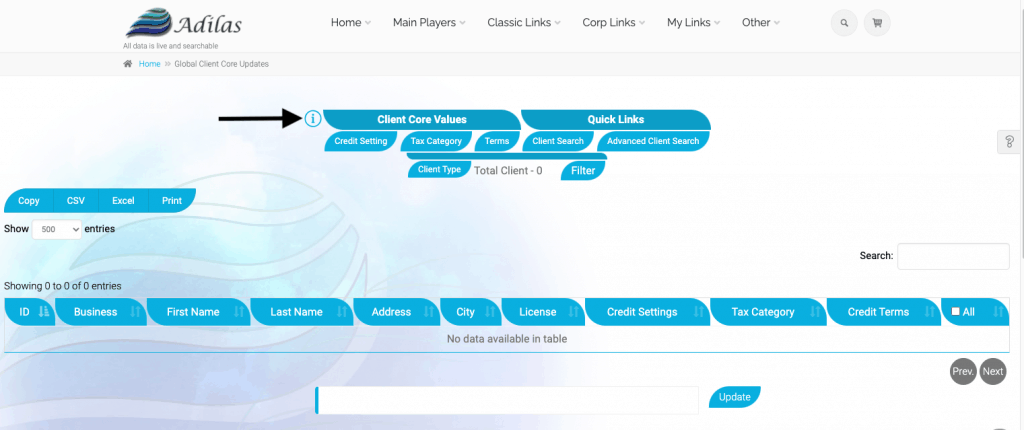
Click on the “i” symbol to access directions on how to use this page.
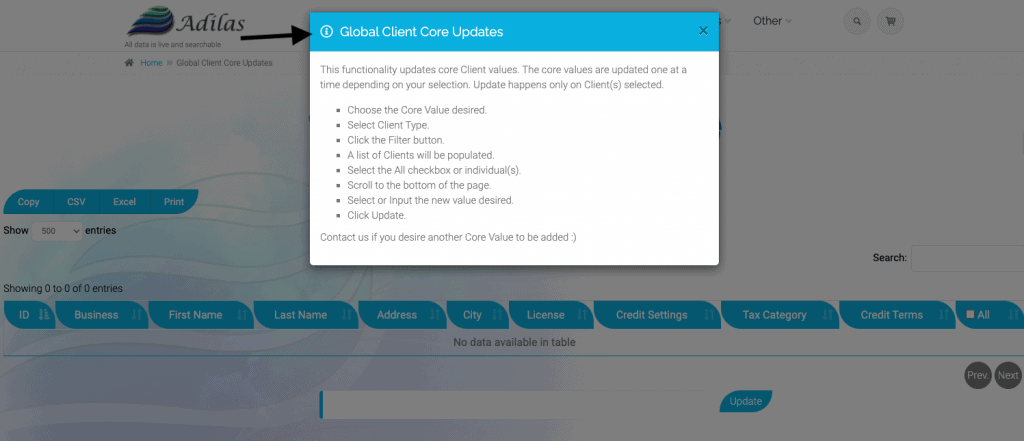
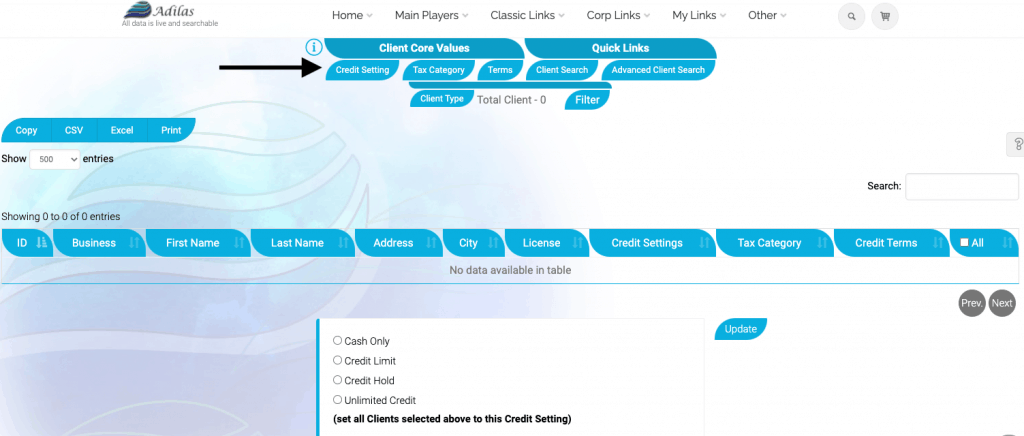
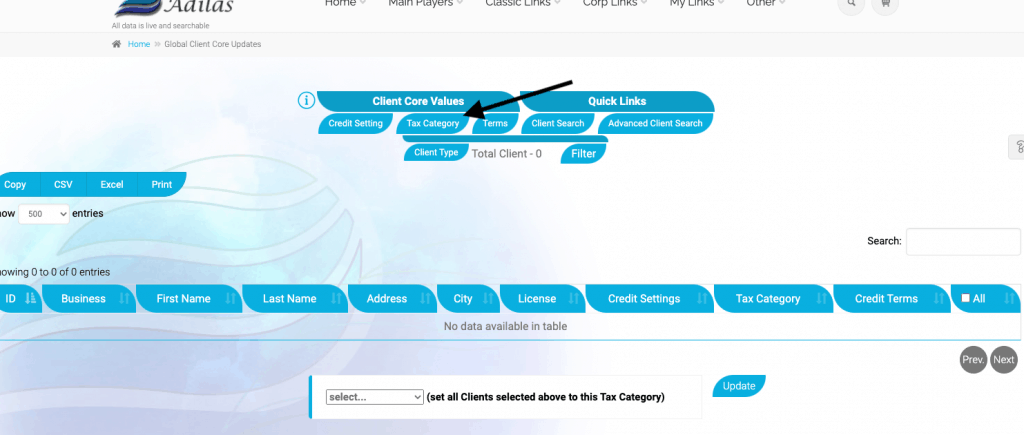
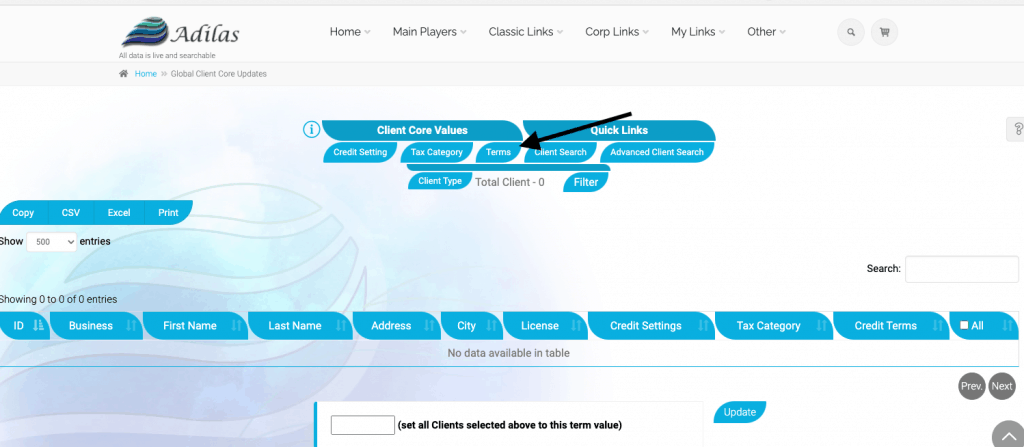
First choose the core value you would like to bulk update. The three choices are:
Credit settings:
Tax category:
Terms:
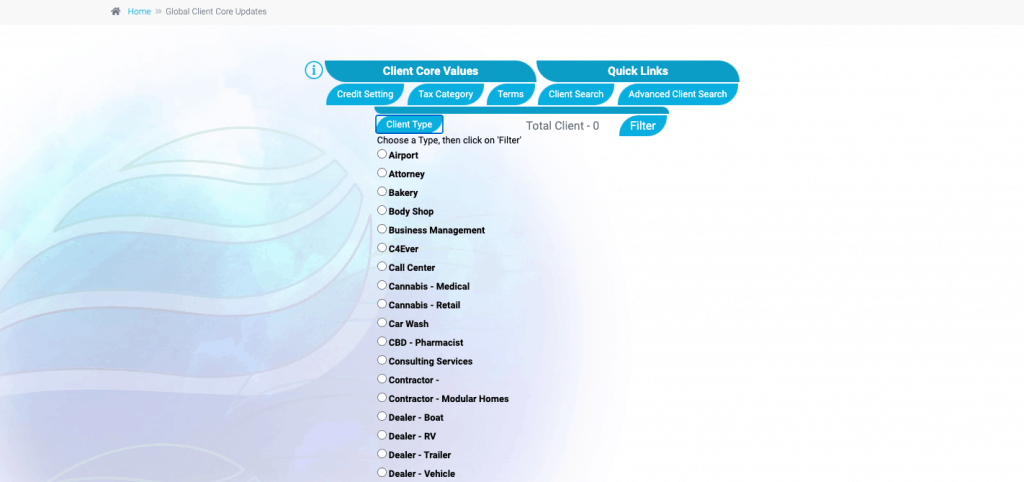
Once the value has been selected, choose the customer type you wish to bulk update. At this time you may only choose one type at a time.
Click update.
Help and related information
As always, please feel free to reach out to your consultant, technical support at 720-740-3076, or email support@adilas.biz if you have any questions, concerns, or suggestions.
First posted on the old news site: https://news.adilas.biz/2021/04/15/bulk-update-for-customer-core-values/